Business management software
Run the whole business in one place
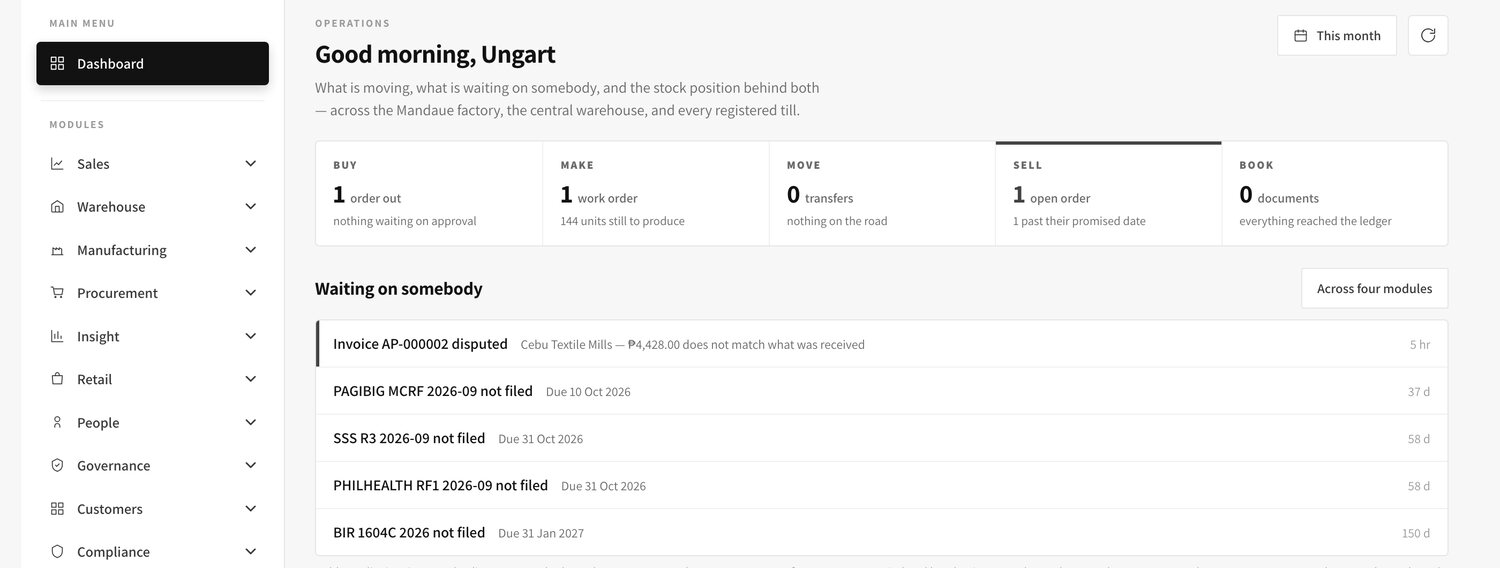
Stock, sales, purchasing, production, money and staff — all in one system. You type something in once, and every other part of the business sees it.
Business management software
Stock, sales, purchasing, production, money and staff — all in one system. You type something in once, and every other part of the business sees it.
Live demo
This is the working system, loaded with a sample company rather than a slideshow. Each sign-in below opens a different desk, because what you can see and do depends on the job you hold.
Password for every account
password
sewer@ua.test
Her own payslips, leave credits and loan balances — and nobody else’s.
manager@ua.test
Stock on hand, picking and packing, transfers between branches.
buyer@ua.test
Raising orders on suppliers, and receiving what arrives against them.
planner@ua.test
Cut plans and work orders — what the factory is making this week.
ecommerce@ua.test
The online catalogue, web orders, and the stock they draw down.
auditor@ua.test
Reads across everything and changes nothing — including who approved what.
hrmanager@ua.test
The 201 files, payroll runs, and the leave waiting on a signature. Asks for a code.
finance@ua.test
The ledger, what customers owe, and the entries every other screen posted. Asks for a code.
superadmin@ua.test
Everything at once, plus the settings and the access rules themselves. Asks for a code.
Everyone shares these accounts, so expect to find other people’s changes in there. Please do not type anything real — no live customer, supplier or staff details — because anyone can sign in and read it.
How it works
Most of the work people do today is copying the same numbers into a second place. This system removes that step.
A store sells a shirt. A supplier delivers cloth. A worker clocks in. Whoever is closest to it types it in once, on a screen made for that job.
Anything that costs money waits for a signature. Who signs depends on the amount, and the system will not let it through without them.
Stock goes down, the customer’s balance goes up, the accounts are posted. Nobody re-keys anything, so there is nothing to reconcile later.
What you get out of it
The point of the system is not the software. It is that a handful of expensive, tiring problems stop happening.
The books are written as work happens, so closing the month is checking figures that already agree instead of building them out of folders and spreadsheets.
One stock figure per item, shared by the warehouse, every store and the online shop. No more cancelled orders and no more apologising to a customer.
Cloth, trim, labour and subcontract work are counted against the actual production run, so you can see which styles make money and which only look busy.
Purchases, write-offs, price changes and payment runs each need the right approval for their amount. The system applies the rule, so it does not depend on anyone remembering it.
The monthly 1601-C, the year-end alphalist file and every employee’s Form 2316 come out of the payroll you already ran — the same figures, in minutes.
The hours spent re-typing the same figures into a second spreadsheet disappear, and the arguments about which version is correct disappear with them.
| The job | How it goes today | How it goes with the system |
|---|---|---|
| Knowing your stock | Each branch keeps its own count. Head office asks by chat and waits. | One figure per item per location, on screen, right now. |
| Buying materials | A verbal go-ahead, then an invoice nobody can trace back to an order. | Order approved by amount, delivery recorded against it, invoice checked against both. |
| Costing a style | An estimate from memory, corrected months later if at all. | The real materials and labour that went into that run, per piece. |
| Paying staff | Timesheets collected by hand, computed in a spreadsheet, re-typed for the books. | Attendance approved, payroll calculated, payslips issued, entries posted. |
| Filing with the BIR | A week of rebuilding last year’s figures from payslip copies. | Generated from the payroll already posted, ready to review. |
| Closing the month | Chasing the branches, then making the two sets of numbers agree. | Trial balance on demand, because there is only one set of numbers. |
What it covers
Each area has its own screens, its own approvals and its own reports. They share one item list, one customer list and one set of books.
Every item is held once, with its sizes and colours underneath it as separate codes. That code is the same code the warehouse scans, the store sells, the online shop lists and the accounts value — which is why the figures never need reconciling between them.
Nothing moves without a document. A transfer is sent, then in transit, then received, so a box that never arrives shows up as a difference with a date and a name against it rather than as a mystery at the next count.
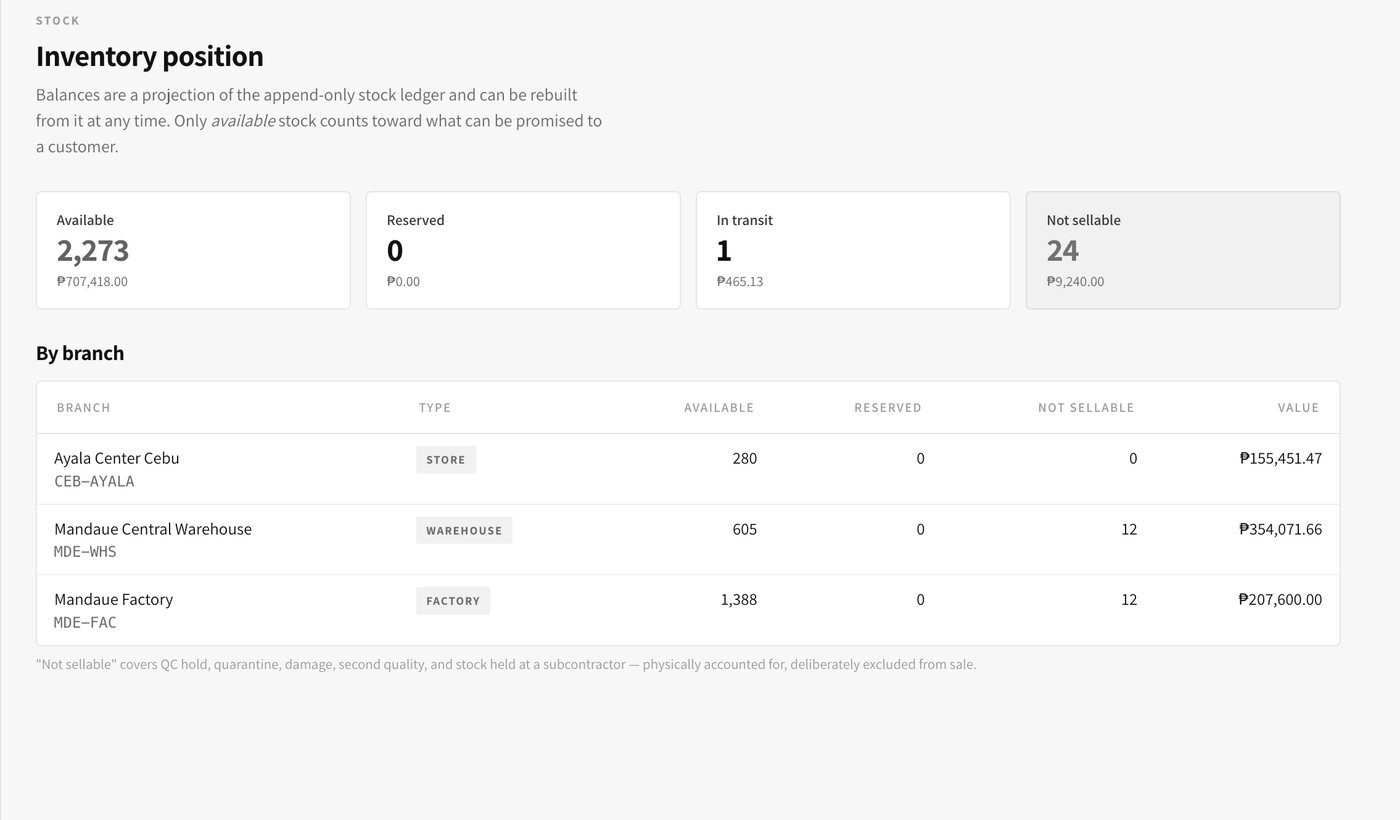
What changes for you. You can answer “how many of this do we have, and where” in seconds, for any item, without ringing a single branch.
Prices come from the price list for that customer and that channel, not from memory. A discount past what the list allows is an approval rather than a typo, so margin is not quietly given away at the counter.
Stock is committed the moment an order is confirmed and released when it ships, so two salespeople cannot promise the same last piece. Invoices print or email, and post themselves into the sales book as they go.
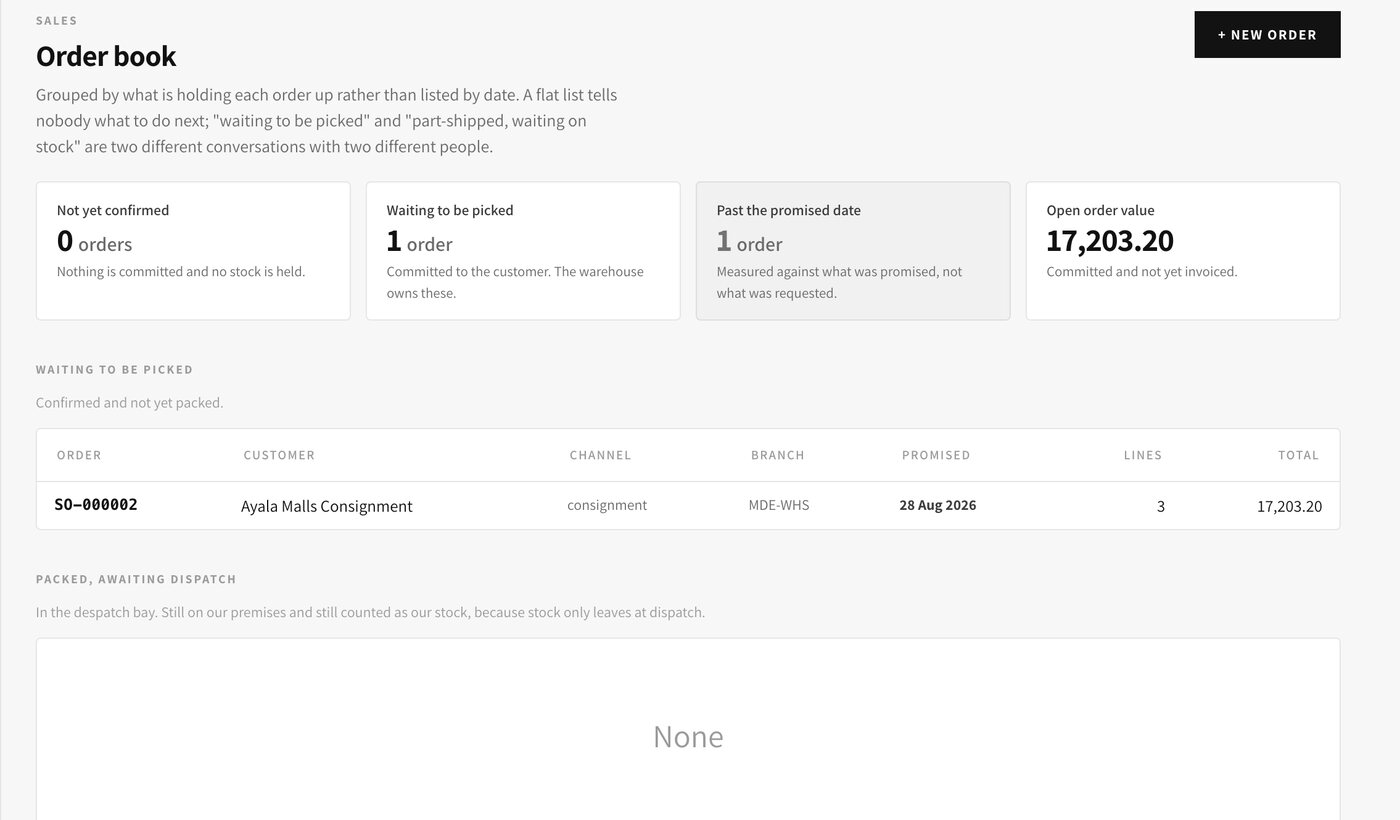
What changes for you. You always know what has been promised, what has shipped, and who owes you money — without opening a spreadsheet.
A request to buy is raised by whoever needs it, with a reason attached, and becomes a purchase order only once the right person has approved it for that amount. The supplier never receives an order nobody agreed to.
When the delivery comes, what actually arrived is recorded line by line against the order. The supplier bill is then checked against both before payment is allowed, so a short delivery or a wrong price is caught before the money goes out rather than after.
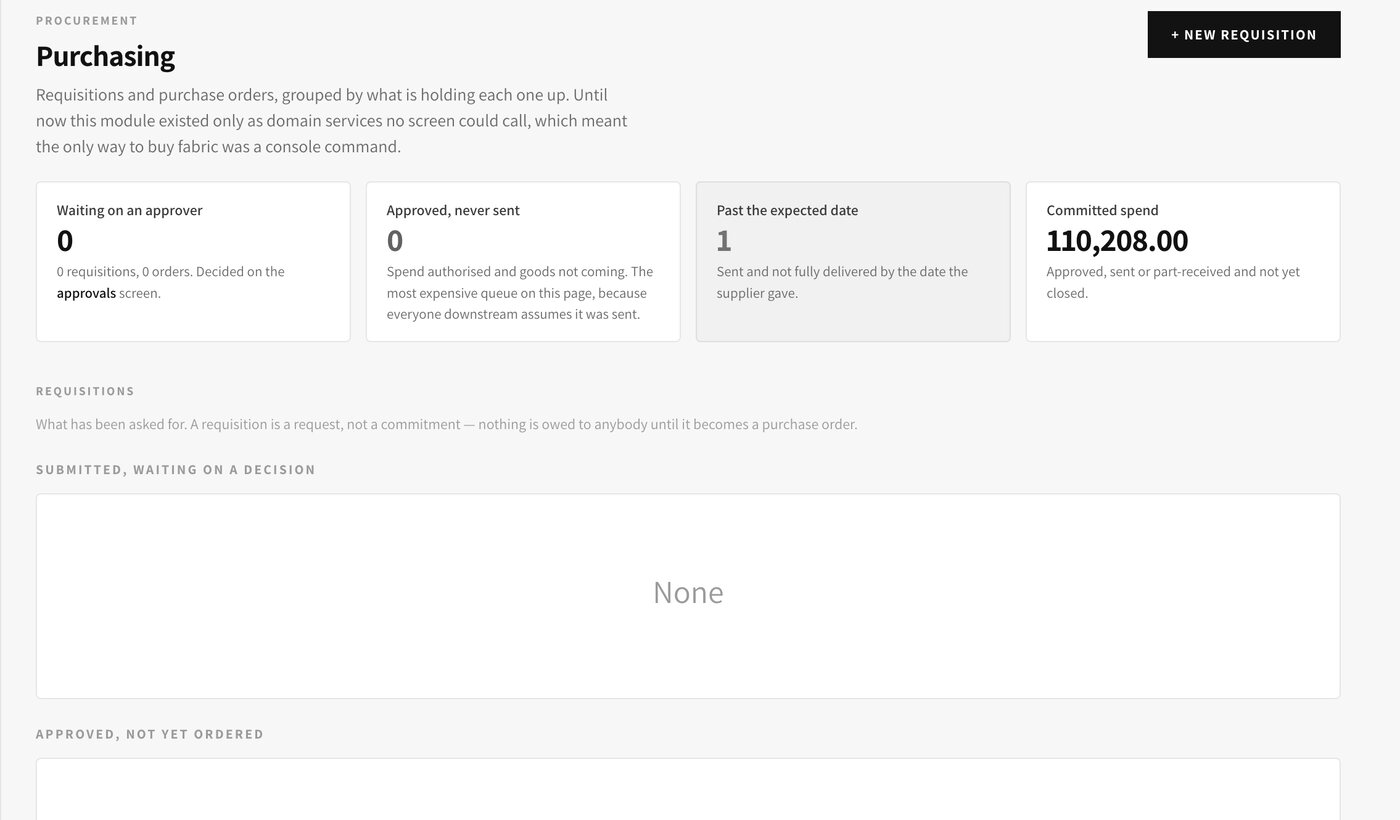
What changes for you. Spending is approved before it happens, and every peso paid out can be traced to an order and a delivery.
Each style has a recipe — the cloth, the trims and the operations it needs — so a run can be planned, its materials reserved, and its cost estimated before anybody cuts anything.
On the floor, a cut ticket is a real job: materials are issued out of stock as they are used, work sent to a subcontractor is tracked out and back, and the finished pieces are booked into stock valued at what they actually cost. The gap between the estimate and the real figure is visible instead of invisible.
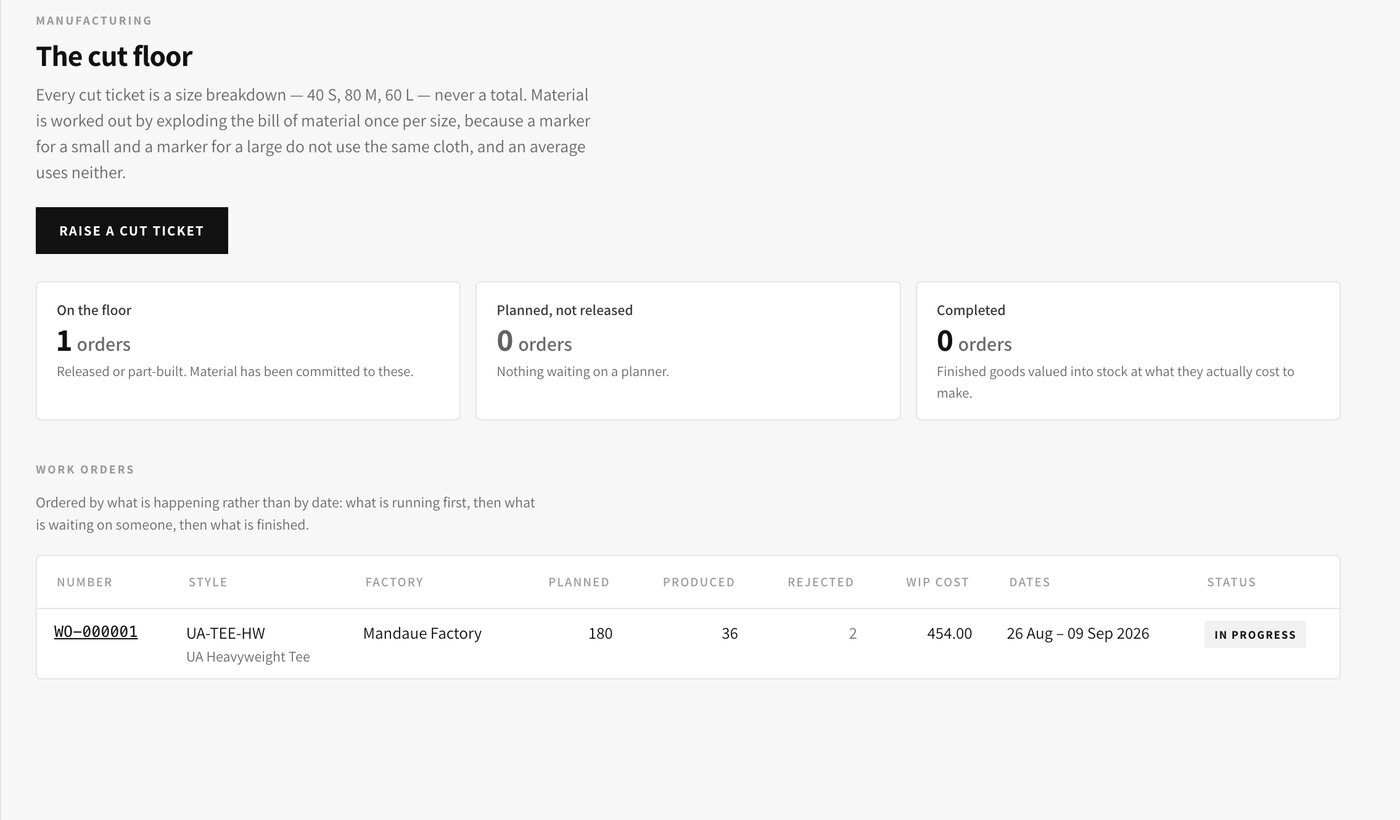
What changes for you. You can see which styles genuinely make money, and where cloth and hours are being lost.
Every document that matters posts itself into the right book of account — sales, purchases, cash receipts, cash disbursements and the general journal are kept separately, each with its own numbering, per company.
Because nothing is entered twice, the reports are a view of what already happened. A trial balance, a profit and loss or a balance sheet is available whenever you want one, not three weeks after the month closes.
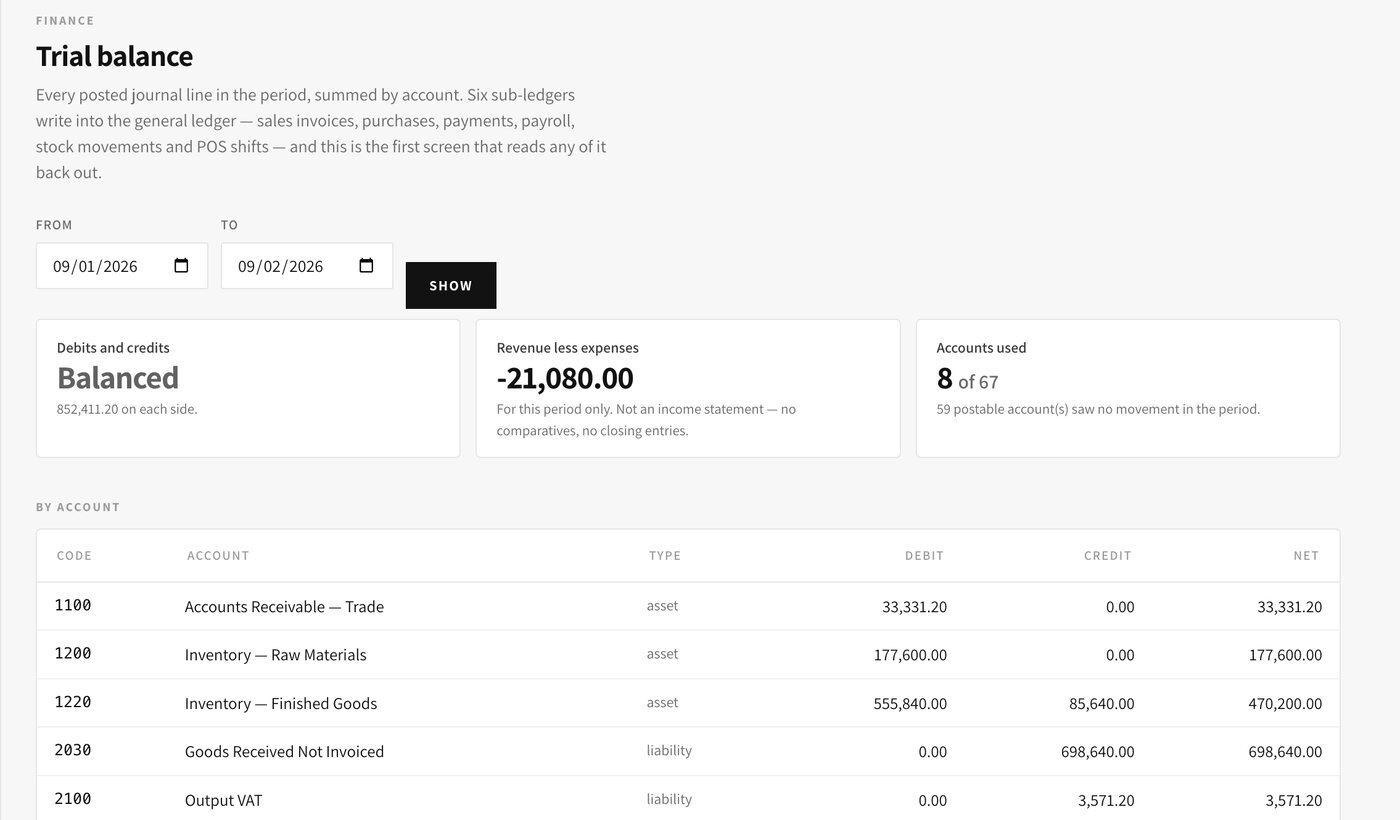
What changes for you. You get real figures during the month instead of an explanation of last month, and closing takes hours rather than weeks.
One employee record carries everything: their rate and how they are paid, their branch, their leave balances, their loans and the registration numbers the government forms need. Payroll reads that record rather than a separate list somebody maintains by hand.
A period cannot be paid until its attendance is approved — the system refuses rather than quietly paying zero. Once payroll is posted, the monthly 1601-C, the year-end alphalist file and each employee’s Form 2316 are generated from those same posted figures, so the returns and the payslips can never disagree.
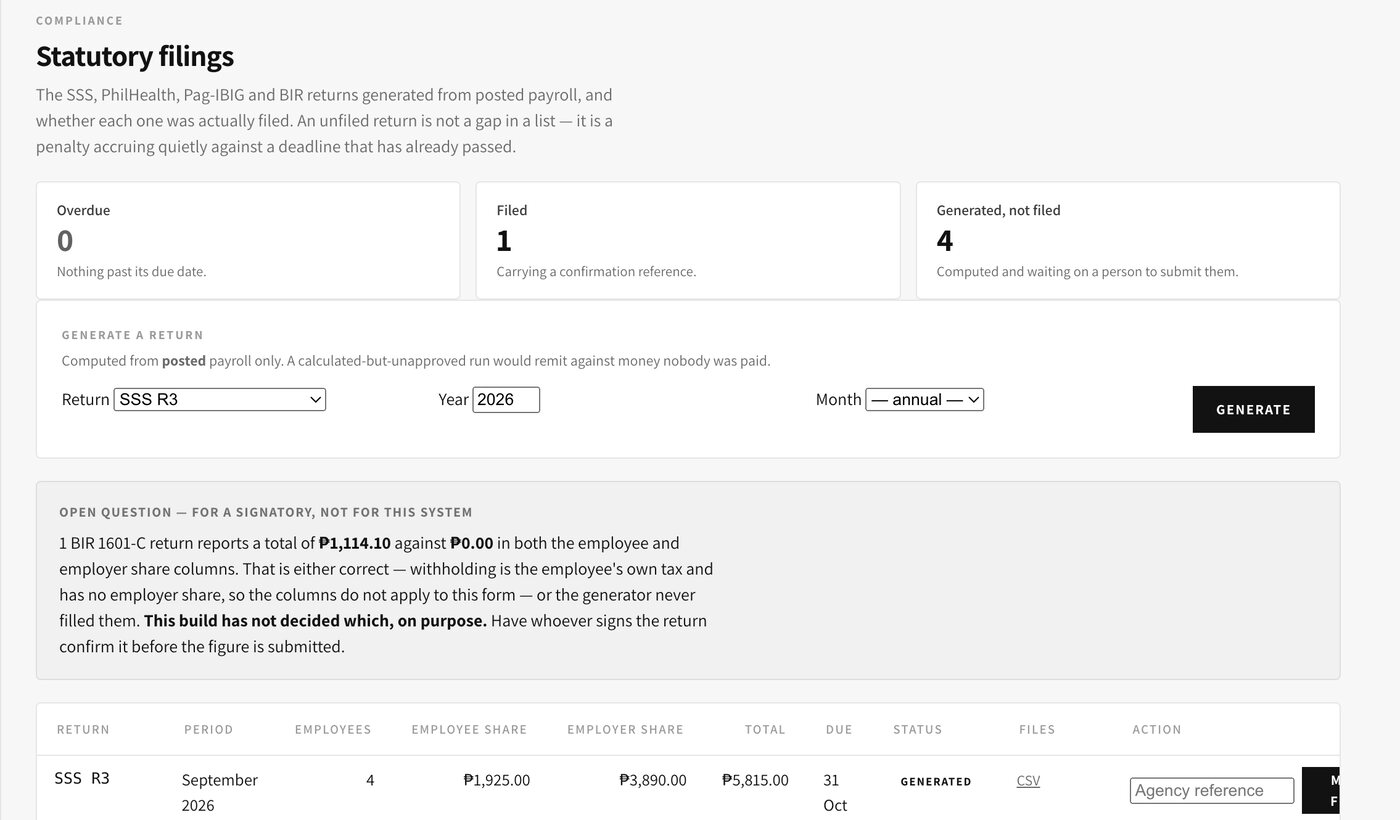
What changes for you. Payday stops being a two-day job, and BIR filing stops being a rebuild of the year from payslip copies.
Why the numbers can be trusted
Amounts are stored as exact figures, never rounded estimates, so a total never ends up a centavo off. Every entry is posted into the proper book of account in the proper double-entry way.
Access is set per person, per company and per branch. A store supervisor cannot open another branch’s figures, and every change is stamped with a name, a time and what the value was before.
Card payments are handled entirely by the payment provider. No card number and no payment password is ever stored here, which keeps that risk off your business.
Questions
No. The point-of-sale system keeps running as it is, and this system reads from it. That matters because a registered cash register cannot be swapped out without going back to the BIR, and there is no reason to put your stores through that.
It is set up one area at a time — usually stock and purchasing first, then sales, then payroll — so each part is in real use before the next one starts.
Your item list, suppliers, customers, opening stock counts and employee records are loaded in at the start. You review them on screen before anything goes live.
Each person only learns the screens for their own job, which is usually an afternoon. Managers get a second session on approvals and reports.
Yes. Each company keeps its own document numbering and its own books, and each person is given access only to the branches they work in.
Us. We built it and we maintain it, so support does not get passed between a software vendor and a separate contractor.
Give us one real thing you do every week — a purchase order, a production run, a payroll period — and we will put it through the system while you watch, then show you the entries it made.